


Epic: Kids' Books & Reading
3.925.57K Reviews
App Specs
- Version
- 3.141.43
- Updated On
- License
- Free
- Downloads
- 10,000,000+
- Developer
- Epic Kids Inc.
- Categories
- Education
- Platform
- Android, iOS
Screenshots
 Analysis by AppCompare
Choosing a reading app for a child is less about finding the biggest digital shelf and more about finding something they will actually open, with enough variety to keep reading from feeling like a chore. Epic: Kids' Books & Reading is an education app from Epic Kids Inc. aimed at grade-school children. I see its main appeal in bringing books, stories and video learning together, while leaving families to decide whether the available access and any paid options suit their routine.
What the free starting point tells you
The app is free to install, which makes trying it a low-commitment first step. That does not mean every part of the experience is necessarily free: in-app purchases are listed from $0.99 to $89.99 per item. I would treat the free price as a way to explore, not as a promise of unlimited access at no cost. Before building a daily routine around it, check what the app currently lets your family use and what requires a purchase.
That distinction matters for children’s reading because a useful service is one a family can keep using comfortably. A low-cost individual item and a much higher-priced purchase represent very different commitments, so it is worth involving the adult who manages spending before a child taps through purchase screens. I would also avoid assuming that a particular purchase unlocks a specific collection or duration unless the app explains that clearly at the point of purchase.
Why the mixed format can be useful
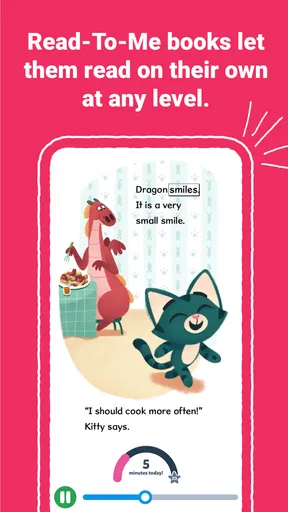
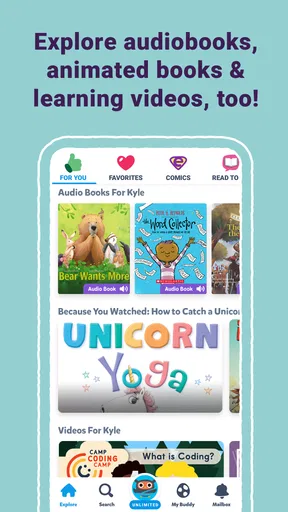
Epic’s combination of read-to-me books, ebooks, stories and videos gives it a different feel from a basic ebook reader. A child who is still gaining confidence can listen along, while a more independent reader may prefer to handle the page alone. Videos can offer another way into a subject when a child is curious but not ready to settle into a book. I like that flexibility, especially for households where children are at different reading stages.
The strongest value is not simply having many titles available; it is having choices for different moments. A short story can fit into a quiet break, while a book that a child follows over several sittings can become part of a bedtime routine. Read-along material may help keep a reluctant reader engaged, though it is not a substitute for an adult listening, talking about the story, or supporting a child who is struggling with particular words.
Where it fits—and where it may not
I would consider Epic for families who want one child-friendly place to explore reading and related learning material, especially if a child enjoys choosing their own topic. It is also worth considering when a parent wants to encourage browsing beyond familiar favorites. The app is rated for Everyone, and its education focus makes it a natural candidate for supervised use by grade-school children.
It is less compelling if you want a single-purpose reading tool with no video element, or if your child does better with a small, carefully chosen stack of physical books than with a screen full of options. Some children find digital browsing distracting, and a wide selection can create decision fatigue rather than excitement. In that case, I would set a simple limit—choose one story together, then put the device away—rather than expecting the app alone to create a calm reading habit.
Worth Reading Before You Choose

EA SPORTS FC Mobile 26 Is a Bigger Football Game, but It Takes Time

Flipboard Shows What News Apps Must Do Beyond the Feed

Switching to Android Auto Means Rethinking Your Driving Routine

Google Calendar Makes a Crowded Week Easier to Manage

Ludo King Makes the Most of the Minutes Between Plans

Baby Panda World Brings Quick Play to Modern Phones, but Its Game Library Feels Busy
Discovering a Universe of Stories
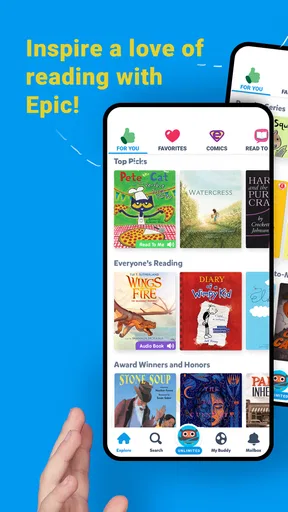
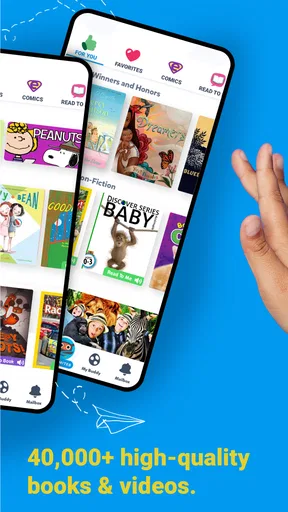
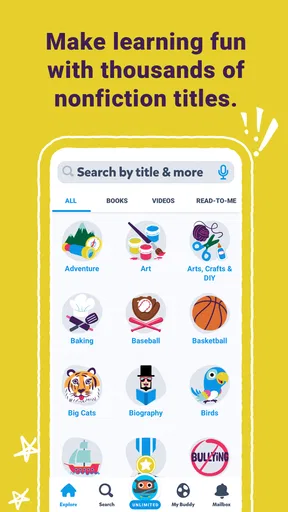
Right off the bat, Epic: Kids' Books & Reading makes a fantastic impression with its vast collection. We're talking over 40,000 books, audiobooks, and learning videos. It’s like walking into the biggest library ever and having the freedom to pick anything you want. Whether your little one is into dinosaurs, fairytales, or science, there’s something for everyone.
The app is super intuitive. Kids can easily navigate through categories and find their next favorite read. And let’s be honest, anything that encourages reading in this digital age is a win in my book. Plus, it’s not just for the kiddos – I found myself getting lost in some of the stories too!
Interactive and Educational
What really sets Epic apart is its interactive reading experience. Some books come with quizzes and activities that make learning a blast. It’s like the app is saying, "Hey, let’s make reading not just fun but also a little educational." And trust me, when learning feels like a game, kids are way more likely to dive in willingly.
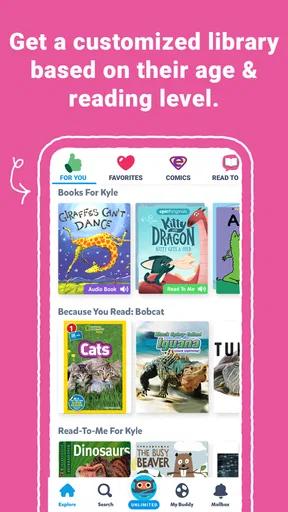
Epic also personalizes the reading experience. As kids explore different books, the app suggests new titles based on their interests. It’s almost like Epic knows your child better than you do after a while!
Parental Controls and Safety
Now, I know what you're thinking: "Is it safe for my kids?" Totally! Epic has you covered with robust parental controls. You can track your child's progress, see what they're reading, and even set age-appropriate content filters. It’s like having a digital librarian keeping everything in check, so you can breathe easy knowing your kids are in a safe environment.
Oh, and did I mention the offline reading? Perfect for those long car rides or when you’re stuck somewhere without Wi-Fi. Just download the books in advance and voilà – the kids are entertained and learning on the go!
Making it work in an everyday routine
A practical way to use a broad library is to give it a little structure. For example, before school or after dinner, I’d ask a child to pick one book connected to something they already like, then save the next choice for another day. That keeps discovery enjoyable without turning every reading session into a long search through options. If a child abandons a title, I’d treat that as useful feedback about their interests rather than a reason to push them through it.
For a shared session, an adult can listen to a read-along with the child and pause to ask what they think might happen next. For independent reading, a child can take the lead and tell you afterward what caught their attention. Those small routines make the app more useful than handing over a device and hoping screen time becomes reading practice by itself.
For travel, the original appeal of offline reading is straightforward, but it takes a little preparation: choose and download material while connected, then check it is available before leaving. I would not wait until a weak connection appears to start selecting books. Offline access is most valuable as a backup for a planned journey, not as a reason to assume every item will be ready automatically.
Comparing it with other ways to read
Compared with a standard ebook reader, Epic’s broader mix can help when a child wants to alternate between listening, looking at text and exploring a related video. A dedicated ebook app may be a better fit for adults who want a simple reading interface or a specific purchased title, while a physical library can be better for families who prefer borrowing, paper pages and fewer device distractions. These options solve different problems; I would choose based on the child’s habits, not on which one sounds more modern.
It also sits differently from general video apps. Its educational and reading focus gives a parent a clearer starting point for a book-centered activity, but video still uses a screen and can become the part a child gravitates toward. If the goal is sustained practice with printed text, keep a physical book in the routine too. If the goal is to make varied reading material easy to browse, the app’s combination is more relevant.
Small decisions that improve the experience
One useful approach is to let a child browse with a purpose: choose a topic, a mood, or a format before opening the library. That narrows the field without taking away the pleasure of choosing. I’d also alternate between a child’s current obsession and something slightly different, so recommendations and familiar interests can support discovery rather than trap reading in one subject forever.
Another trade-off is that suggested titles can be convenient but should not make the choice for the family. A recommendation is a starting point, not a guarantee that a book matches a child’s reading level or interest today. If a title feels too difficult, too easy, or simply unappealing, switching is reasonable. The aim is a positive relationship with reading, not completing every selection the app surfaces.
Parents who want to follow a child’s activity should use the controls and progress information as conversation starters, not as a scorecard. Knowing what a child explored can help you find a related book or ask a better question at dinner. It cannot, by itself, tell you whether the child understood a story or enjoyed it. A quick chat often provides more useful context than treating progress as a measure of success.
What the scale and cost mean for families
Epic has an average rating of 4.0 from around 90,000 ratings, alongside roughly 25,000 written reviews and over 10 million installs. Those figures suggest that many families have tried it, but they do not settle whether it is right for a particular child. I would give more weight to whether the child actually chooses to read, whether the available material fits their interests, and whether the cost of any desired purchase feels worthwhile to the adult paying.
The app is listed for Everyone and has been available since May 21, 2015; its current version is 3.141.10, with Android 7.0 as the minimum operating system. That makes device compatibility a sensible first check before setting it up. The age label is not a substitute for a parent’s judgement: children vary in reading ability and preferences, so choosing material together still matters.
Who is likely to get the most from it?
I’d start with Epic if a grade-school child enjoys browsing, responds well to being offered choices, or benefits from listening while following a story. It may also suit a parent looking for a convenient activity for a waiting period or a trip, provided the relevant reading is prepared ahead of time. The best fit is a child who can use the variety as an invitation to read rather than a reason to jump rapidly from one thing to another.
I would skip it, or use it only occasionally, if your family wants a completely screen-free routine, needs a narrowly defined curriculum, or is looking for a guaranteed free collection without checking purchase details. A local library, a teacher’s recommendations, or a small set of print books may be better when the priority is a curated selection or a specific reading goal. Epic can complement those choices, but I would not treat it as a replacement for them.
Wrapping It Up
In a nutshell, Epic: Kids' Books & Reading is a dream come true for parents and kids alike. It’s educational, fun, and incredibly easy to use. Whether you want to nurture a love for reading or just keep the little ones busy with something productive, Epic is your go-to app.
So, if you haven’t tried it yet, give it a shot. You might just find yourself sneaking in a few stories when the kids aren’t looking. Trust me, it’s worth it!
My buy-or-skip take
My recommendation is to try the free app if its reading-and-video mix matches what your child enjoys, then judge the experience by whether it leads to worthwhile reading time in your home. Before paying, look closely at the specific in-app purchase and decide whether its value makes sense for your family; the listed range is wide enough that a blanket assumption about cost would be unhelpful. If the child prefers paper, needs a tightly guided lesson, or is easily pulled away from books by digital choices, I’d choose another approach instead.
For families who want flexible ways into children’s reading, Epic is worth exploring with an adult nearby. Its strongest case is variety and convenience; its main trade-off is that variety, screens and optional spending all need a little guidance. Used deliberately, it can be a helpful part of a reading routine rather than the routine itself.
Pros
- Wide variety of books available.
- Interactive reading features.
- Kid-friendly interface.
- Offline reading capability.
- Supports multiple reading levels.
Cons
- Requires internet for updates.
- Subscription model can be costly.
- Limited free content.
- No parental control features.
- In-app purchase notifications.
FAQs for Epic: Kids' Books & Reading
What age group is Epic: Kids' Books & Reading suitable for?
Epic is designed for children aged 12 and under, providing a vast library of age-appropriate books, audiobooks, and educational videos. The app curates content specifically for early learners up to pre-teens, ensuring that material is both engaging and suitable for varying reading levels and interests.
Does Epic require an internet connection to use?
While an internet connection is required to browse and initially download content, Epic offers the convenience of offline reading. Users can download books and other materials to their device, making it easy for kids to read or listen without needing continuous internet access.
Is there a subscription fee for using Epic?
Epic offers both free and paid subscription options. The free version provides limited access to content, whereas the paid subscription unlocks the full library of books and features. Users can opt for a monthly or annual plan, with a free trial available for new subscribers to explore the app's offerings.
Can parents track their child's reading progress on Epic?
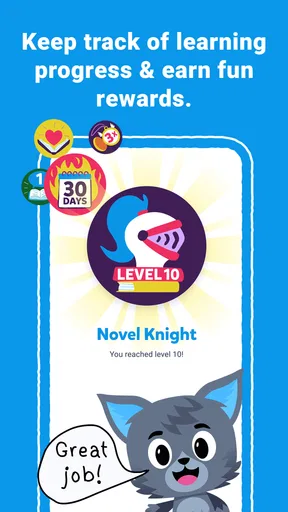
Yes, Epic includes features that allow parents to monitor their child's reading progress. The app provides detailed reading logs, including time spent reading, books completed, and quiz scores. This helps parents stay informed about their child's development and engagement with the app's content.
What types of content are available on Epic?
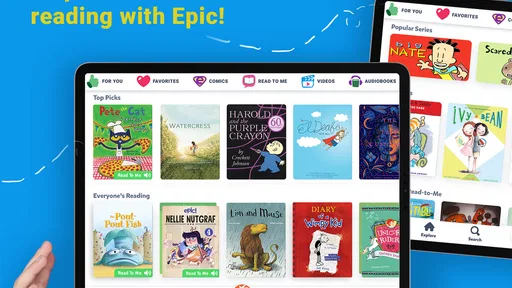
Epic hosts an extensive collection of over 40,000 titles, including picture books, chapter books, audiobooks, graphic novels, and educational videos. The content spans various genres and topics, ensuring there's something for every child's interest, whether they're exploring fiction, non-fiction, comics, or learning new subjects.


